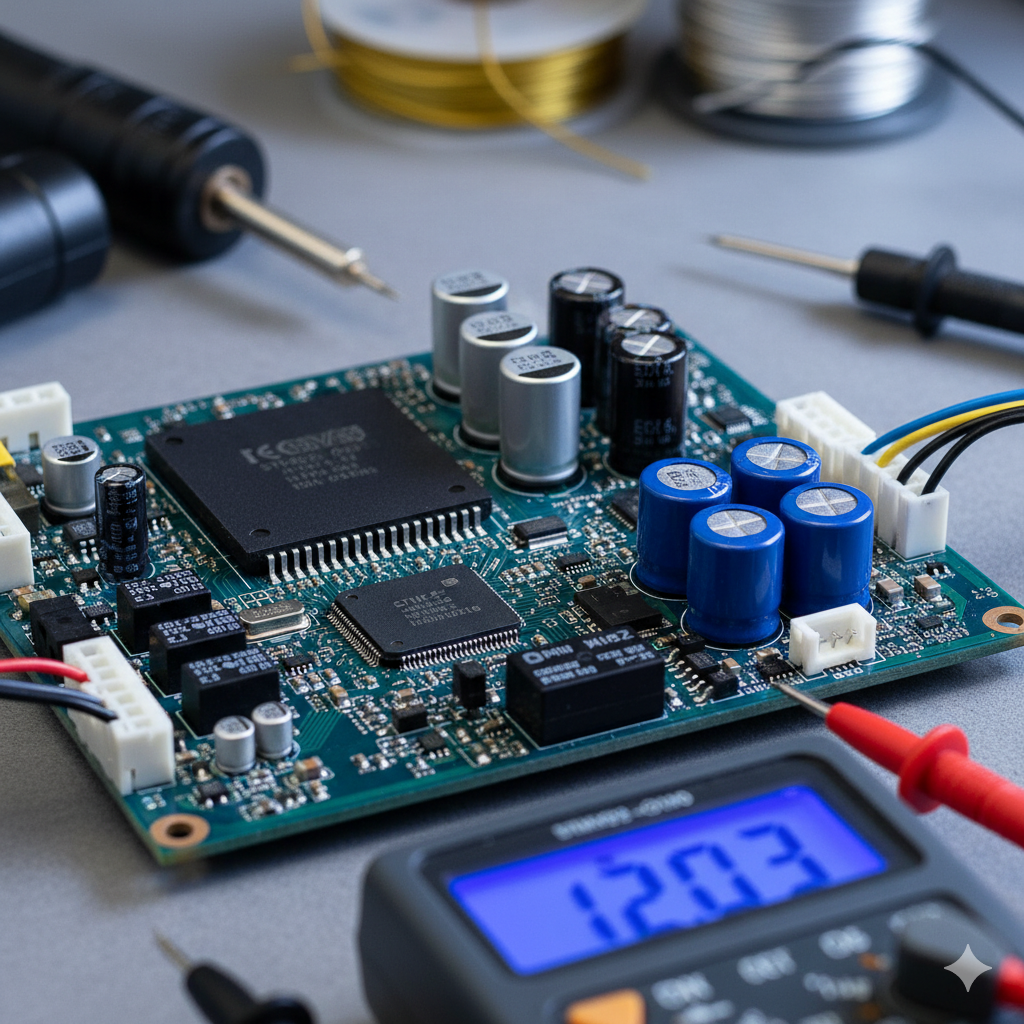
Inverter Ac Pcb Training
For an Inverter AC PCB training program, here’s a comprehensive breakdown of the points you’ve listed, detailing what each would typically entail:
1. Theory Foundation & Deep Explanation
Fundamentals of Electronics:
Components:
Resistors, capacitors, inductors, diodes, transistors (BJTs, MOSFETs, IGBTs), relays, optocouplers. Understanding their symbols, functions, testing methods, and common failure modes.
Circuit Laws:
Ohm’s Law, Kirchhoff’s Laws (KCL, KVL).
Power Supplies:
AC/DC conversion, rectifiers, filters, voltage regulators (linear and switching).
Inverter AC System Basics:
Working Principle:
How an Inverter AC differs from a conventional AC, variable speed compressor operation.
Main Components:
Compressor, condenser, evaporator, expansion valve, sensors (temperature, pressure, current, voltage).
Communication Protocols:
Understanding how the Indoor Unit (IDU) and Outdoor Unit (ODU) PCBs communicate (e.g., serial communication).
Sections Deep Explain (PCB Sub-systems):
SMPS (Switched-Mode Power Supply):
Detailed analysis of its operation, common topologies (flyback, buck, boost), components, and troubleshooting for “no power” issues.
PFC (Power Factor Correction) Circuit:
Its necessity in Inverter ACs, active vs. passive PFC, operation with the boost converter, and diagnostic points.
IPM (Intelligent Power Module) & Gate Driver Circuit:
The heart of the inverter drive. Understanding its internal structure (IGBTs, gate drivers, protection circuits), input/output signals, and common failure symptoms.
Microcontroller/Microprocessor Unit (MCU/MPU):
Its role in controlling the entire system, input processing (sensors), output generation (compressor drive, fan motors), and error code generation.
Sensor Circuits:
Detailed study of various sensors (thermistor, current, voltage, pressure, hall effect) and their integration with the MCU.
Motor Control:
Principles of controlling the BLDC (Brushless DC) compressor motor and other fan motors.
Protection Circuits:
Over-current, over-voltage, under-voltage, over-temperature, short-circuit protection.
2. Sections Practical Training & Real Hardware Work
This is where theory meets application, focusing on hands-on skills.
Tool Usage:
Proficient use of:
Digital Multimeter (DMM):
For continuity, voltage (AC/DC), current, resistance, capacitance, diode, and transistor testing.
Oscilloscope (DSO/CRO):
For analyzing waveforms (PWM signals, communication signals, power supply ripples) at various test points.
LCR Meter:
For accurate measurement of inductance, capacitance, and resistance.
Soldering Station (SMD & Through-Hole):
Proper techniques for desoldering and soldering various components, including fine-pitch ICs.
Hot Air Rework Station:
For SMD component removal and placement.
Inverter Checker/Tester:
Specialized tools to simulate AC unit operation for testing PCBs outside the main unit.
Component Testing:
Practical sessions on how to accurately test each type of electronic component on and off the board.
Fault Diagnosis Procedures:
Systematic Troubleshooting Flow: Step-by-step approach to identify faults based on symptoms and error codes.
Power-Up Sequence Analysis:
Understanding the normal power-up sequence and identifying where it fails.
Voltage Measurement:
Checking voltages at critical test points (e.g., VCC, VDRIVE, gate voltages, sensor voltages).
Signal Tracing:
Following signal paths using schematics and an oscilloscope.
Common Failure Scenarios:
Practicing diagnosis and repair for common faults like “no power,” “compressor not running,” “communication error,” “fan motor not working,” sensor errors.
Real Hardware Work:
Directly working on a variety of actual faulty Inverter AC PCBs from different manufacturers (LG, Samsung, Daikin, Carrier, Hitachi, etc.) to gain experience with diverse designs and issues.
3. Software Programming
Essential for addressing firmware-related issues and component replacements.
EEPROM/Flash IC Programming:
Understanding Firmware:
What firmware is and its role in PCB operation.
Programmers:
Using dedicated EEPROM/Flash IC programmers (e.g., TL866, CH341A) to read, write, and verify data.
Dumping & Flashing:
Learning how to backup existing firmware and flash new firmware onto replacement ICs or faulty ones.
Firmware Sources:
Where to find correct firmware files for various models.
Troubleshooting Programming Issues:
Common errors during programming and how to resolve them.
4. Live Projects & On-Board Training
These combine all learned skills in realistic scenarios.
Live Projects:
Each faulty PCB brought in is treated as a “live project.
“Trainees work through the entire repair process:
initial diagnosis, component testing, schematic analysis (if available), component replacement, power-up testing, and final functional testing (often using an inverter checker or actual AC unit).
Focus on efficient repair techniques and problem-solving.
On-Board Training (Chip-Level Repair):
Emphasis on identifying and replacing individual faulty components on the PCB rather than just swapping entire boards.
Advanced techniques for delicate component removal and installation (e.g., fine-pitch ICs, power modules).
Understanding component datasheets for selecting correct replacements.
5. Life Time Support After Training
This adds significant value and continuous learning.
Technical Assistance:
Access to trainers or a support team for queries and guidance on real-world repair challenges faced post-training.
Community/Forum Access:
Joining a group of alumni and experts to share experiences, ask questions, and get solutions.
Updates & Resources:
Receiving updates on new Inverter AC technologies, common new faults, and access to a library of schematics, service manuals, and firmware files.
Skill Refinement:
Opportunities for advanced workshops or refreshers.
This comprehensive approach ensures that trainees gain both theoretical mastery and practical proficiency, enabling them to confidently diagnose and repair Inverter AC PCBs.